Bitcoin (BTC) Price Prediction 2026 - 20...
2026-09-26

-1763722169.png)
If you're looking for a fast, private, and hassle-free way to swap XMR on SecureShift Exchange, you’re in the right place. Monero (XMR) continues to be one of the most privacy-focused cryptocurrencies in the world, and SecureShift has become one of the most trusted ways to exchange it without sacrificing security. This guide walks you through everything—from understanding XMR to completing your first swap with confidence.
Monero stands out because of its strong focus on privacy. Unlike many cryptocurrencies that allow blockchain tracing, Monero uses stealth addresses and ring signatures to conceal user identity and transaction amounts. This makes it a top choice for people who value confidentiality.
Monero is built to make every transaction anonymous by default. That means nobody can look at your wallet and figure out your balances or spending history. It’s one of the safest options for users who prioritize financial privacy.
Many users swap Monero for other coins to diversify their portfolio or access services that require different cryptocurrencies. XMR is also popular for cross-chain privacy, letting users move between blockchains discreetly.
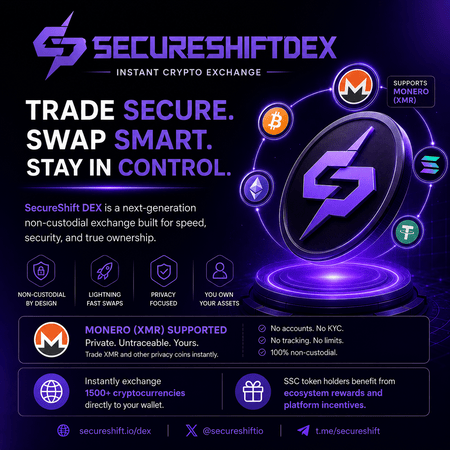
SecureShift is a non-custodial, privacy-centered crypto exchange platform designed for fast and simple swaps. You don’t need an account, and SecureShift never holds your coins. Everything happens wallet-to-wallet.
No registration or KYC
Non-custodial (you control your funds)
Private and fast swaps
Supports a wide range of cryptocurrencies
Clean and beginner-friendly interface
Because SecureShift works without accounts or centralized storage, it pairs perfectly with Monero’s privacy philosophy. Users can swap XMR without leaving digital footprints behind.
This is the heart of the process. Here’s how you can swap XMR on SecureShift Exchange in just a few minutes.

Open the SecureShift website. You’ll see a simple swap interface right on the homepage.
Choose Monero (XMR) under the "You Send" section.

SecureShift supports dozens of cryptocurrencies including BTC, ETH, LTC, USDT, and more.
Paste the wallet address where you want to receive the swapped currency. Double-check thismcrypto transactions are irreversible.

SecureShift will give you a deposit address. Send your XMR to that address, and the swap will automatically begin. You’ll receive your new coin once the Monero network confirms your transaction.

Monero transactions typically process within 10–30 minutes depending on network congestion. SecureShift processes the rest instantly once your deposit clears.
Monero fees are generally low. SecureShift charges competitive service fees that are displayed transparently before you start your swap.
Because the exchange is non-custodial, you never hand over control of your wallet. Still, follow best practices like using strong passwords and keeping your wallet updated.
Privacy-friendly
Simple interface
No KYC or accounts
Fast swaps
Wide coin selection
Crypto transactions cannot be reversed
Some assets may have longer network confirmation times
Double-Check Wallet Addresses
A single wrong character can send your coins into the void. Always confirm your destination address.
Watch for Network Congestion
If the Monero network is busy, processing may take longer. Choosing off-peak hours can help speed things up.
1. Is SecureShift safe for swapping XMR?
Yes. It’s a trusted, non-custodial platform that never holds your funds.
2. Do I need an account to use SecureShift?
No accounts, no KYC just wallet-to-wallet swaps.
3. How long does a typical XMR swap take?
Usually 10–30 minutes depending on the Monero network.
4. Does SecureShift support many cryptocurrencies?
Yes, dozens of major and minor crypto assets.
5. Are there hidden fees?
No. All fees are shown clearly before you proceed.
6. What if I send the wrong amount?
SecureShift may still process it, but correct amounts ensure best results.
Swapping Monero has never been easier, and using SecureShift ensures you keep your privacy intact while enjoying fast, secure transactions. Whether you’re diversifying your holdings or simply moving assets, knowing how to swap XMR on SecureShift Exchange gives you full control and peace of mind.
(1)-1790417752.png)

-1788346309.png)