Filecoin market information: price, market cap, and supply
Filecoin Price is $0.742. Its current circulating supply is 1.96B fil with a market cap of $628.00M.

$ 0.742
-3.4%

(Not Available)

$ 628.00M

$ 54.71M

1.96B FIL
What Is Filecoin (FIL)?
Filecoin is a decentralized storage network created by Protocol Labs, the team behind IPFS. It lets anyone rent out unused storage space or pay to store data across a global network.
FIL is the native token of Filecoin. Clients pay storage providers in FIL, and providers earn FIL for storing data reliably.
How Does Filecoin Work?
Storage providers prove they are storing data correctly using cryptographic proofs called Proof-of-Replication and Proof-of-Spacetime. The network also supports smart contracts through the Filecoin Virtual Machine.
Key Features of FIL
- Decentralized, verifiable data storage.
- Built alongside IPFS.
- Smart contracts through the Filecoin Virtual Machine.
- Incentives for storage providers worldwide.
What Is FIL Used For?
FIL is used to pay for storage and retrieval, to reward storage providers and in DeFi applications on Filecoin.
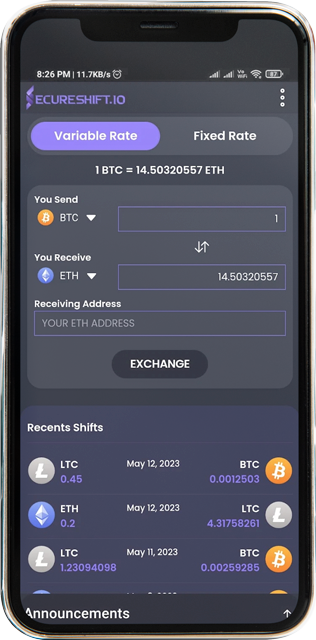
How to Exchange FIL on Secureshift
- Choose your pair: select FIL and the coin you want to receive, or the coin you want to swap into FIL.
- Enter the amount: type how much you want to exchange and review the estimated amount you will get.
- Add your wallet address: paste the address where you want to receive your coins and double-check it.
- Send your deposit: transfer the coins to the deposit address shown on the exchange page.
- Receive your coins: once the deposit is confirmed, Secureshift completes the swap and sends the coins straight to your wallet.
Why Swap Filecoin with Secureshift?
- Non-custodial: your funds go directly to your own wallet and are never held in an exchange account.
- No registration: swap FIL without creating an account or going through sign-up.
- Wide selection: exchange FIL with thousands of other cryptocurrencies.
- Clear rates: see the estimated amount before you confirm your exchange.
Which address type should I use for FIL?
Filecoin supports several address formats, including addresses starting with f1 and f4 as well as 0x addresses. Use the address your wallet shows for the Filecoin network and double-check it before swapping.
FIL Network Details at a Glance
| Detail | Filecoin (FIL) |
| Purpose | Decentralised file storage |
| Block time | 30-second epochs |
| Address formats | f1 (standard) and f4 / 0x (FVM) |
| Consensus | Proof of replication and spacetime |
| Launched | Mainnet in 2020 |
How Filecoin Works
Filecoin is a marketplace for storage. People with spare disk space become storage providers and earn FIL for proving they're keeping clients' data safe over time.
FIL pays for storage and transaction fees and is locked as collateral by storage providers. Since 2023 the Filecoin Virtual Machine has allowed smart contracts, which introduced 0x-style addresses alongside the traditional f1 format.
Where to Store FIL
Ledger, Trust Wallet and MetaMask (for f4/0x addresses) all support FIL. Glif provides a web interface for Filecoin wallets.
Before You Swap FIL: Mistakes to Avoid
- Sending to an f4 or 0x address on a platform that only supports f1, or the reverse.
- Confusing FIL on Filecoin mainnet with wrapped FIL tokens on other chains.
- Expecting instant confirmation. Epochs are 30 seconds and platforms often wait for several.
Swapping FIL on SecureShift
Choose FIL, paste your Filecoin address (f1 is the safest choice) and send. There's no account to open and no ID to upload, no exchange limit, and the flat 1% fee is already included in your quote. Want to move into private money instead? You can swap FIL to Monero (XMR) the same way.
Popular FIL Swap Pairs
Jump straight to a pair to see its live rate, network notes and FAQs:
Swap Filecoin (FIL) for any asset from our extensive crypto selection by following these simple steps:
1. Select FIL as the "You Send" currency.
2. Choose the asset you’d like to receive in exchange for your FIL.
3. Enter the wallet address for the asset you wish to receive.
4. Send your deposit to a unique one-time address.
5. Receive your exchanged coins in approximately 5 minutes!
Top cryptocurrencies to exchange with Filecoin (FIL)
| # | FIL to | Pair | Available for exchange |
|---|---|---|---|
| No data found! | |||
Why exchange Filecoin on SecureShift
- Using SecureShift is safe and reliable. As a non-custodial service, we never store or hold your assets.
- SecureShift ensures rapid transactions, typically completing within two minutes.
- Our platform is highly versatile. We continuously strive to enhance our services, satisfy our customers, and broaden our cryptocurrency offerings.
- No registration is required to trade any crypto asset on SecureShift. All you need is a wallet address.
- Trade freely with no upper limits! Whether your transactions are small or large, we guarantee successful completion every time.
Filecoin (FIL) FAQ
Filecoin is a decentralized storage network created by Protocol Labs, the team behind IPFS. It lets anyone rent out unused storage space or pay to store data across a global network.
Filecoin supports several address formats, including addresses starting with f1 and f4 as well as 0x addresses. Use the address your wallet shows for the Filecoin network and double-check it before swapping.
Choose FIL and the coin you want to receive, enter the amount and your wallet address, then send FIL to the deposit address shown. Secureshift completes the swap automatically and sends the coins straight to your wallet.
No. Secureshift is a non-custodial exchange with no registration, so you can swap FIL directly from your own wallet while keeping full control of your funds.
An f1 address works almost everywhere. Use f4 or 0x only if the receiving platform supports them.
Paying for storage and fees on Filecoin, and as collateral for storage providers.
Latest News
Crypto Coin Guides 2027: Every Coin You Can Swap on SecureShift
By the SecureShift Team · Updated November 12, 2026 Quick answer This page links to every coin guide on SecureShift, 102 in total, grouped by type. Each guide explains what the coin does, which network and address format it uses, the wallets people trust, the mistakes that cost money, and how to s...
Nov 12, 2026
What Does a Monero Address Look Like? XMR Address Formats and Examples (2027)
By the SecureShift Team · Updated November 12, 2026 Quick answer A normal Monero address is 95 characters long and starts with a 4. A subaddress is also 95 characters but starts with an 8. An integrated address (an address with a payment ID baked in) starts with a 4 and is 106 characters. If the a...
Nov 12, 2026
What Is a Seed Phrase? How to Store Your Crypto Recovery Phrase Safely (2027)
By the SecureShift Team · Updated November 12, 2026 Quick answer A seed phrase (also called a recovery phrase) is a list of 12 or 24 words (25 for Monero) that your wallet generates when you set it up. Those words are your wallet: anyone who has them can take your crypto from any device, and if yo...
Nov 12, 2026